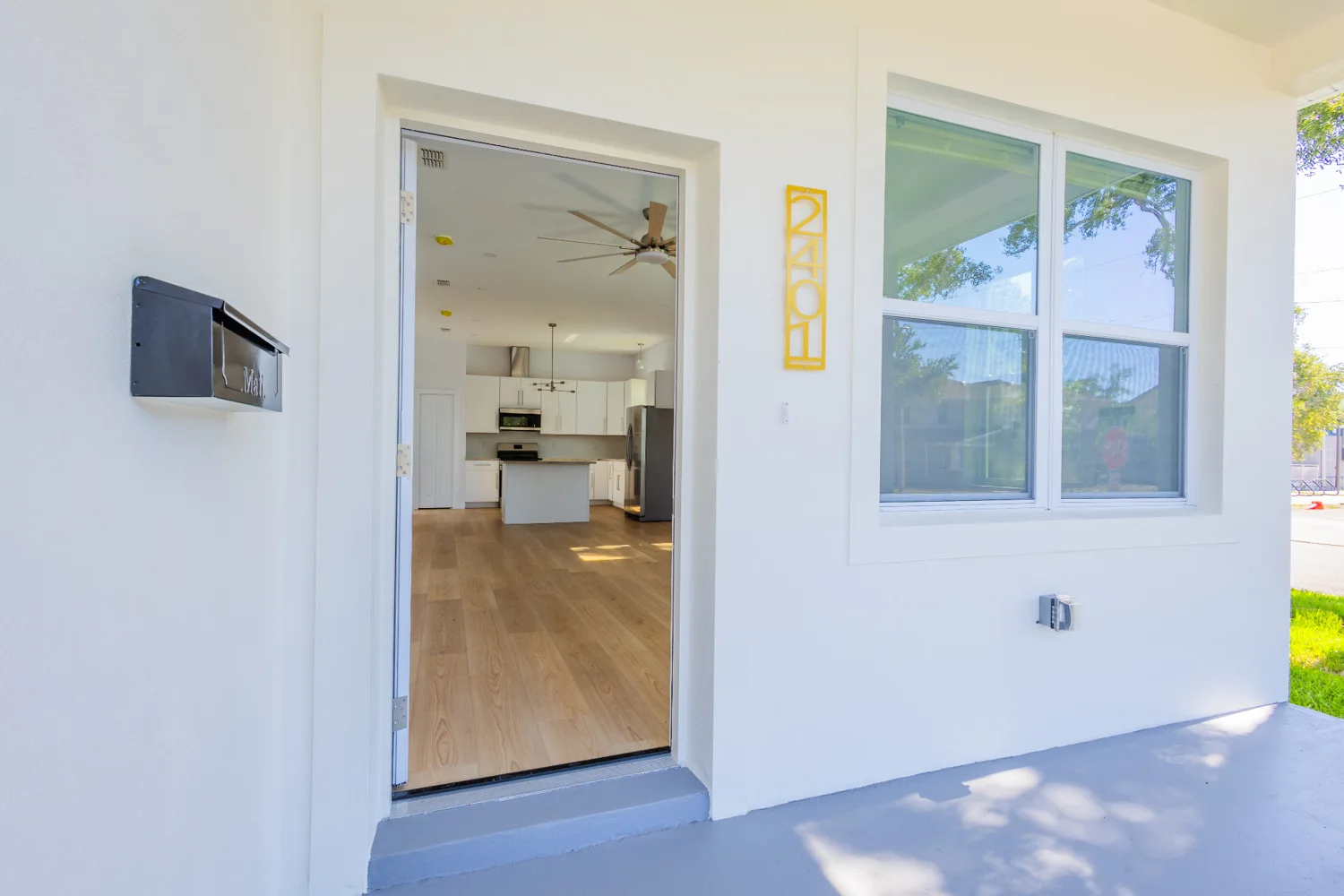
Quick answer: Features that make a home easier to get around, like a step-free entry, wide doorways, a single-level layout or a walk-in shower, are worth photographing clearly and describing plainly. Show the home as it really is, including any steps, and measure before stating sizes. Describe the features, not who should live there: fair housing law prohibits housing ads that indicate a preference or limitation based on disability.
For some buyers and guests, the most important question about a home isn’t the kitchen or the view. It’s whether they can get in the front door, move between rooms and use the bathroom without difficulty. That includes people who use a wheelchair or walker, people recovering from an injury, and families planning ahead for a parent or grandparent.
Listing photos often leave them guessing. An entry is cropped so the steps don’t show, a doorway is photographed at an angle, and the shower appears only in the edge of a mirror. A few deliberate photos can answer those questions before anyone books a showing.
Features worth photographing
- The way in: a step-free or low-threshold entry, a ramp, or a level path from the driveway or garage to the door.
- Doorways and hallways: wide openings and clear paths between the main rooms.
- A single-level layout: or, in a two-story home, a bedroom and full bathroom on the main floor.
- Bathrooms: a walk-in or curbless shower, grab bars, a shower seat, or a raised toilet.
- Kitchen details: lowered counters, pull-out shelves or open space under a sink.
- Everyday hardware: lever door handles, accessible light switches and smooth flooring without raised transitions.
- Outdoor areas: level access to a lanai, patio or pool deck.
A home doesn’t need all of these to benefit. Even one clear photo of a step-free entry or a main-floor bedroom can help the right buyer find it.
How to photograph them clearly
- Show the full path. Photograph the entry from where someone would actually approach it, so the walkway, threshold and any steps are visible.
- Open the doors. A wide doorway reads best photographed straight on with the door fully open, so its width is easy to judge.
- Show the floor. In bathrooms, frame the shower so the floor and threshold are visible. Whether there’s a curb is often the point.
- Pair a wide shot with a detail. A wide shot shows where a feature is; a close-up shows grab bars, lever handles or a shower seat.
- Keep the gallery in a logical order. Our guide to a useful shot list covers where detail photos fit.
Describe the home, not who should live there
The federal Fair Housing Act makes it unlawful to make, print or publish any notice, statement or advertisement for the sale or rental of a dwelling that indicates any preference, limitation or discrimination based on handicap, among other protected characteristics. HUD’s regulation on advertising (24 CFR 100.75) adds that this includes words, phrases, photographs, illustrations, symbols or forms.
In practice, that points to a simple habit: describe what the home has, not what kind of person it suits. “Step-free front entry,” “walk-in shower with grab bars” and “bedroom and full bath on the main floor” describe the property. Phrases about who the home is meant for describe people, and they’re best left out. Agents should also follow their brokerage’s and MLS’s own guidelines.
Keep it accurate
Accessibility details matter most to the people who rely on them, so accuracy matters too.
- Measure before you state a size. If the listing mentions doorway or hallway widths, measure them rather than estimating.
- List specific features instead of broad labels. A list of what’s there is more useful, and easier to check, than a general claim about the whole home.
- Don’t hide steps. Cropping or editing out a step, a raised threshold or a slope gives a false picture. Our article on ethical photo editing explains where the line is.
Vacation rentals
Without clear photos, guests with mobility needs may have to message a host with questions before booking. Clear photos of the entry, the main-floor bedroom and the bathroom, with plain captions, can answer many of those questions up front. As with any amenity, only show what guests will actually find, and photograph any steps honestly so no one arrives to a surprise.
Accessibility photo checklist
- List the features the home actually has.
- Photograph the entry from the approach, with any steps visible.
- Shoot doorways straight on with the doors fully open.
- Frame showers so the floor and threshold are visible.
- Add close-ups of grab bars, lever handles and other details.
- Measure any sizes you plan to mention.
- Write captions that describe the home, not the buyer.
Showing these features clearly takes only a few extra photos, and it can make a home much easier for the right buyer or guest to find.